
We’ve all been there: you click on a YouTube video hoping for a quick answer, only to realise it’s 45 minutes long and packed with tangents. Tutorials, interviews, lectures, and explainers often bury the most useful information deep inside lengthy runtimes.
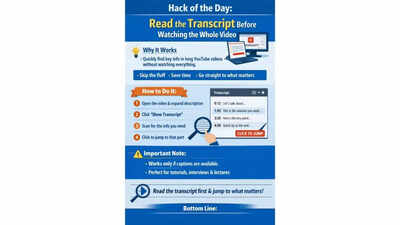
That’s where YouTube’s transcript feature becomes a game-changer. Instead of wasting time scrubbing through the timeline or sitting through the entire video, you can scan the transcript like a searchable article. This lets you instantly decide whether the video is worth watching in full and helps you jump directly to the exact part you need. It’s a simple hack that transforms long-form video into quick, accessible text — saving time, reducing frustration, and making YouTube far more efficient as a learning and discovery tool.
How it helps
By reading the transcript first, you can quickly identify the sections that matter most. This is especially useful for lectures, podcasts, tutorials, and interviews, where the key insights may be hidden among hours of content.
Steps to use YouTube’s transcript feature
- Open the YouTube video in your browser.
- Expand the description area below the video.
- Click “Show transcript” if the option appears.
- Scan the transcript to find the segment that matters.
- Jump directly to that moment by clicking the matching transcript line.
Important note
This hack only works for videos with captions enabled. While transcripts may not be perfect, they’re a powerful shortcut for quickly identifying useful sections without committing to the entire video.